How to Build an AI-Powered Call-Off Response System
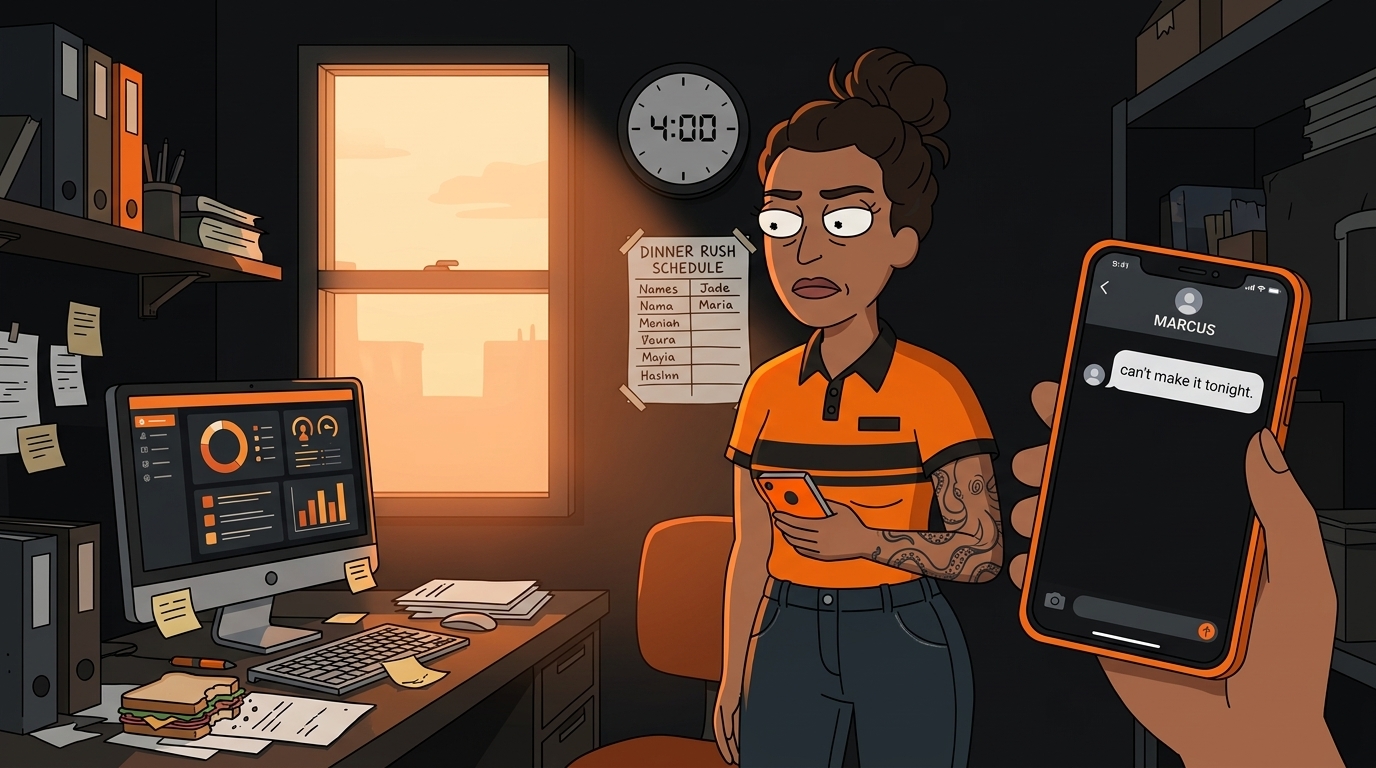
It's 4 PM on a Friday. Your best server just texted: "Hey, not feeling well, can't make it tonight." You have 90 minutes before the dinner rush. Your floor plan was already tight - now you're a body short on your busiest shift of the week.
So you start the ritual. You text the first backup. No response. You call the second. Voicemail. You try the group chat. One person says they might be able to come in but they need to check with their roommate about a ride. Twenty minutes pass. You're still short. The host is already telling walk-ins there's a 45-minute wait, and you haven't even opened yet.
This scenario plays out in restaurants across the country every single day. According to the Bureau of Labor Statistics, the accommodation and food services sector has a turnover rate of roughly 79% annually. That means your staff is constantly rotating, and the scramble to fill call-offs is one of the most stressful, time-consuming parts of managing a restaurant.
An AI-powered call-off response system doesn't prevent people from calling in sick. But it turns a 45-minute panic into a 2-minute process.
How Does an AI Call-Off System Actually Work?
The concept is straightforward: when someone calls off, the system automatically identifies who can replace them and reaches out instantly. No manual phone tree. No group text hoping someone sees it.
Here's what happens step by step:
- The employee reports their absence - through a text, an app, or even a quick phone call that gets logged automatically.
- The system checks your staff database - who's qualified for that role, who's available today, who's not already at overtime, who's closest to the restaurant.
- It sends a targeted notification - not to everyone, just to the top 3-5 best-fit candidates. First to accept gets the shift.
- The schedule updates automatically - no manual editing, no miscommunication about who's actually coming in.
- If nobody accepts in 15 minutes - the manager gets an alert so they can make other arrangements before it becomes an emergency.
What Do You Need to Set This Up?
You don't need expensive software or a custom build. You need three things: a staff database, a way to send notifications, and rules for who gets offered which shifts.
Step 1: Build Your Staff Availability Database
This is the foundation, and most restaurants already have most of this data scattered across different systems. You need to consolidate it.
What to capture for each employee:
| Data Point | Where It Lives Now | Why You Need It | |------------|-------------------|-----------------| | Primary role | Scheduling app | Match call-off to qualified replacements | | Secondary roles (cross-training) | Manager's head | Offer shifts to versatile staff | | Days available | Scheduling app or paper form | Don't text someone who's unavailable | | Maximum hours/week | HR records | Avoid overtime triggers | | Distance from restaurant | Employee file or ask them | Prioritize nearby staff for short-notice gaps | | Reliability score | Manager's gut feeling (formalize it) | Rank candidates by who actually shows up |
If you're using 7shifts, HotSchedules, or When I Work, most of this data is already in the system. You just need to add the fields that aren't there - cross-training, distance, and reliability scoring.
Reliability scoring sounds formal but it's simple. Track call-offs per employee over the last 90 days. Someone with zero call-offs is a 5. Someone who calls off twice a month is a 2. When you're picking replacements, you want the person who actually shows up, not the person who's been "sick" every other Friday.
Step 2: Set Up the Notification Channel
Text messages have a 98% open rate compared to 20% for email. For call-off replacements, you need people to see the message immediately. SMS is the right channel.
Options for automated SMS:
- Twilio - The most flexible option. Pay-per-message (~$0.0079/text). Requires some setup but gives you full control over the message flow.
- SimpleTexting - Business texting platform. $29/month for 500 messages. Easier setup than Twilio but less customizable.
- Your scheduling app's built-in messaging - 7shifts, HotSchedules, and When I Work all have shift offer features. Less customizable but zero additional cost if you're already paying for the platform.
"SHIFT AVAILABLE: Friday 6/16, 5 PM - 11 PM (Server). Reply YES to accept. First to reply gets the shift."
That's it. No fluff. The employee sees what's available, when it is, and what to do. If they want it, they reply. If they don't, they ignore it.
Step 3: Configure Your Matching Rules
This is where the "AI" part earns its keep. Instead of texting everyone and hoping, the system filters candidates by specific criteria.
- Same role as the person who called off
- Available that day
- Under 35 hours for the week
- Within 15 minutes of the restaurant
- Reliability score 4 or 5
- Cross-trained for the role
- Available that day
- Under 40 hours
- Within 30 minutes
- Reliability score 3+
- Any available employee who could cover with support
- Under 40 hours
- Manager approval required
Step 4: Add Escalation Rules
Not every call-off is equal. A Tuesday lunch shift is annoying. A Saturday dinner shift is a crisis. Your escalation rules should reflect that.
- Text Tier 1 candidates
- Wait 15 minutes for responses
- Alert manager if no acceptance
- Text Tier 1 AND Tier 2 simultaneously
- Wait 10 minutes
- Alert manager AND assistant manager if no acceptance
- Consider reaching out to recently departed employees who left on good terms
- Text all tiers immediately
- Alert manager within 5 minutes
- Manager begins manual outreach while system runs in parallel
Step 5: Track Call-Off Patterns
This is the data goldmine that most restaurants ignore. Once your system logs every call-off, you can see patterns that were invisible before.
- Who calls off most frequently? (Performance review data)
- Which shifts are hardest to fill? (Hiring signal - you need more weekend staff)
- What time do most call-offs happen? (If it's always 2-4 hours before a shift, consider confirmation texts the night before)
- How long does it take to fill a shift on average? (Benchmark for improvement)
- Are certain roles harder to fill than others? (Cross-training priority)
Step 6: Integrate with Your Scheduling Platform
If you're using 7shifts, HotSchedules, When I Work, or a similar platform, connect the call-off system so accepted shifts automatically update the schedule. Double-bookings and miscommunication happen when the system and the schedule are disconnected.
Most scheduling platforms have APIs or built-in shift-swap features. If your platform has a shift offer feature, use that as your base and layer the AI matching on top.
If you're still using paper schedules or spreadsheets, the call-off system can email or text the updated schedule to the whole team after each change. It's not ideal, but it's better than the "did someone pick up that shift?" group text that nobody reads.
Step 7: Review and Refine Monthly
Pull a report at the end of each month:
- Total call-offs
- Average time to fill
- Fill rate (% of call-offs that got covered)
- Top callers-off
- Hardest shifts to fill
What Does This Cost to Build?
Most restaurants can get this running for $0-75/month depending on the approach:
| Approach | Cost | Setup Time | Customization | |----------|------|------------|---------------| | Scheduling app built-in (7shifts, HotSchedules) | Included in existing subscription | 1-2 hours | Limited | | Twilio + Google Sheets + automation | $10-30/month in SMS costs | 4-6 hours | High | | Zapier + scheduling app + SMS | $20-50/month | 2-3 hours | Medium | | Restaurant-specific platform (e.g., Poached, Instawork) | $50-100/month | 1-2 hours | Medium |
The scheduling-app-first approach is the easiest starting point. If your platform already has shift offer features, turn them on and add the matching rules. You can always upgrade to a more sophisticated system later.
What Happens After You Deploy?
After 30 days with a working call-off system, three things change:
- Managers stop dreading the text. The 4 PM Friday call-off goes from a 45-minute panic to a 2-minute process. The manager gets a notification that says "Shift filled by Sarah" or "No replacement found - manual action needed." Either way, they know immediately instead of wondering.
- Call-off rates actually drop. When employees know the system tracks patterns, the casual "I don't feel like working today" call-off becomes less appealing. You're not punishing anyone - you're just making the data visible.
- You build a staffing model based on reality. After three months of data, you know exactly which shifts need backup staff, which roles need cross-training, and who your most reliable employees are. That's hiring intelligence that most restaurant owners make based on gut feeling.
Want to see where AI fits your restaurant's specific staffing challenges? Take our free AI Readiness Check - it takes 2 minutes and maps your biggest opportunities for automation.
Next step
Choose the next practical step for your restaurant.
Check your restaurant's AI readiness or use the SWOT path to identify the most useful operational opportunities.
Keep reading
Related posts
More practical guidance for restaurant operators who want less busywork and better follow-through.
How to Automate Health Code Compliance Tracking
Your temp log says the walk-in was 38 degrees at 6 AM. Your dishwasher says he checked it. The health inspector finds it at 46 degrees at 10 AM. Nobody knows when it actually rose - or if it was ever
How to Set Up AI-Powered Invoice Processing for Your Restaurant
Your Sysco invoice came in on Tuesday. It's now Friday. The paper is sitting under a stack of takeout menus and a half-eaten bag of chips on the manager's desk. Nobody has entered it into the system.
How to Automate Customer Service with a Restaurant AI Chatbot
Your phone rings 47 times during lunch service. You know this because you counted last Tuesday when you were expo-ing and your host had to leave the stand to answer the same question for the sixth tim