How to Automate Health Code Compliance Tracking
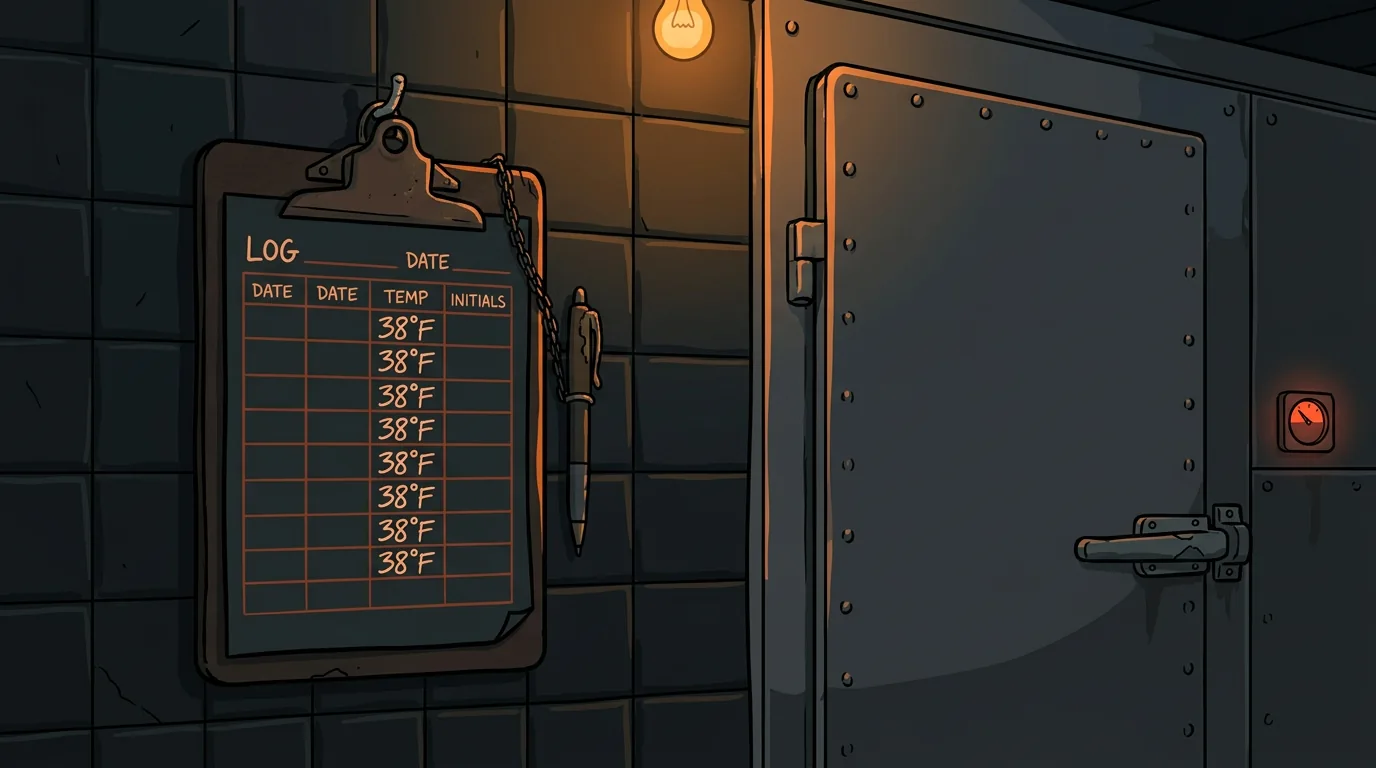
Your temp log says the walk-in was 38 degrees at 6 AM. Your dishwasher says he checked it. The health inspector finds it at 46 degrees at 10 AM. Nobody knows when it actually rose - or if it was ever actually checked at all. The pencil-whipped clipboard hanging on the cooler door tells a story that everyone knows is fiction, but nobody has time to build a better system.
This is the dirty secret of restaurant compliance: most temperature logs are guesses written down after the fact, and most cleaning checklists are signed before the work is done. Not because your staff is lazy or dishonest - because they're busy, the system is tedious, and there's no way to verify any of it anyway.
The FDA Food Code requires cold food storage at 41 degrees or below. A walk-in that drifts to 46 degrees for four hours is in the danger zone - bacteria multiply rapidly between 41 and 135 degrees. When the inspector finds that gap, you're looking at a violation, a potential re-inspection, and in severe cases, a temporary closure. According to the CDC, foodborne illness affects 48 million Americans annually, and temperature control failures are one of the top contributing factors.
Automated compliance tracking doesn't make your staff care more about food safety. It makes it impossible to fake the data - and that protects everyone.
What Parts of Compliance Can You Actually Automate?
Not everything. But the two biggest problem areas - temperature monitoring and cleaning verification - are both automatable with technology that's affordable and proven.
What you can automate:
- Temperature logging - IoT sensors in every fridge, freezer, and walk-in that log temps every 15 minutes automatically. No clipboard. No pen. No forgetting.
- Alert thresholds - If a unit goes above 41 degrees (refrigeration) or above 0 degrees (freezer), the manager gets a text immediately. Not at the end of the shift. Immediately.
- Cleaning task verification - Staff takes a photo of the completed task (clean grill, sanitized prep station, swept walk-in). AI verifies the photo shows a completed task, not a blurry shot of a dirty surface.
- Expiration date tracking - Scan or enter items as they're received. System tracks use-by dates and alerts when items are approaching expiration.
- Inspection-ready reporting - Pull a PDF showing 90 days of continuous temperature data with zero gaps. When the inspector walks in, you're ready.
- Corrective actions when something goes wrong
- Judgment calls on food quality (visual, smell, texture)
- Training staff on proper procedures
- Interpreting complex health code requirements
How Do You Set Up Automated Compliance?
Step 1: Audit Your Current Compliance Gaps
Before buying sensors or software, find out where your current system is actually breaking down. Walk through a typical day and ask:
- How often do temperature logs actually get done on time? (Most honest answer: 60-70% of the time)
- When was the last time someone was written up for a missed temp check? (If the answer is "never," the system has no teeth)
- How many cleaning tasks get pencil-whipped? (Ask your staff privately - they'll tell you)
- When was your last inspection? What did you get dinged for?
Step 2: Deploy IoT Temperature Sensors
Smart thermometers for commercial kitchens have come down significantly in price. You're looking at $30-80 per sensor, and most restaurants need 4-8 sensors (walk-in cooler, walk-in freezer, reach-in fridge, reach-in freezer, prep cooler, hot holding equipment).
What to look for in sensors:
| Feature | Why It Matters | |---------|---------------| | Wireless connectivity (WiFi or Bluetooth) | No wiring needed, install in minutes | | Cloud logging | Data survives even if the sensor loses connection temporarily | | Alert thresholds (customizable) | Set your own temp limits per unit | | Battery life 12+ months | Low maintenance | | Commercial-grade rating | Designed for kitchen environments (heat, humidity, grease) |
Popular options include Thermoworks, SensorPush, and TempAlert. Most connect to a smartphone app or web dashboard where you see all units at a glance.
Step 3: Configure Your Alert Rules
The sensors log data automatically every 15 minutes. But the real value is the alerts. Here's how to set them up:
- Alert threshold: 41 degrees (FDA requirement)
- Warning at 39 degrees (gives you time to act before it's a violation)
- Alert sent to: manager on duty + owner (for after-hours issues)
- Alert threshold: 0 degrees
- Warning at -2 degrees
- Alert sent to: manager on duty + owner
- Alert threshold: 135 degrees (below this is danger zone)
- Warning at 138 degrees
- Alert sent to: kitchen manager
- Which unit is affected
- Current temperature
- How long it's been above threshold
- Recommended action ("Check the walk-in door seal" or "Verify the compressor is running")
Step 4: Create Photo-Verified Cleaning Checklists
Paper checklists get pencil-whipped because there's no verification. A photo changes that.
- Staff completes a cleaning task (clean the grill, sanitize the prep station, mop the walk-in)
- They take a photo of the completed work through an app
- AI analyzes the photo to verify the task appears complete
- The photo gets logged with a timestamp and employee name
- Manager reviews flagged photos (blurry, incomplete, or inconsistent) during their daily check
- Grill and flat-top cleaning (end of shift)
- Prep station sanitization (between tasks)
- Walk-in floor sweep and mop (daily)
- Dishwasher temperature verification (daily)
- Handwashing station restock (daily)
Step 5: Build Your Compliance Dashboard
One screen that shows everything. Your manager checks it once in the morning and once before close. No digging through clipboards, no asking "did anyone check the walk-in today?"
The dashboard should show:
- Real-time temperatures for every monitored unit (green = good, yellow = warning, red = alert)
- Last 24 hours of temperature history (trends, not just current readings)
- Cleaning task completion rate for today (% done vs. total required)
- Flagged items (photos that need review, tasks that are overdue, units that have been in warning range)
- Upcoming inspection date (countdown timer keeps it top of mind)
Step 6: Generate Inspection-Ready Reports
When the health inspector walks in, you want to pull up a PDF that shows 90 days of continuous temperature monitoring with zero gaps. That's not just compliance - it's a competitive advantage. Most restaurants the inspector visits that day will hand over a clipboard with questionable handwriting.
- Date range (last 90 days minimum)
- All monitored units with daily temperature ranges
- Any alerts that triggered and the corrective action taken
- Cleaning task completion rates
- Photo evidence of completed tasks (if your platform supports report generation)
Step 7: Run Monthly Self-Inspections
Use your own data to catch problems before the inspector does. Once a month, pull your compliance report and look for:
- Units that trend toward the warning zone - A walk-in that regularly hits 40 degrees is a compressor failure waiting to happen. Fix it before it fails.
- Cleaning tasks that consistently get skipped - If the dishwasher temp check gets done 60% of the time, that's a training issue or a staffing issue. Either way, it's a pattern worth addressing.
- Gaps in data - Any period where sensors stopped reporting. Was it a WiFi outage? A dead battery? A sensor that fell off the wall? Fix the gap before the next inspection.
- Staff patterns - Certain shifts may have lower compliance rates. If the closing crew consistently skips tasks, that's a management conversation.
What Does Automated Compliance Cost?
For a single-location restaurant, you're looking at $200-600 in hardware and $0-50/month in software:
| Component | Cost | Lifespan | |-----------|------|----------| | IoT temperature sensors (4-8 units) | $120-480 | 2-3 years (batteries last 12+ months) | | Photo verification app | $0-30/mo | Ongoing | | Dashboard/reporting platform | $0-20/mo | Often included with sensors | | Total first year | $120-840 | — | | Annual recurring | $0-600 | — |
Compare that to the cost of a single health code violation: $250-1,000 in fines, plus the potential for temporary closure, negative reviews, and lost revenue. One avoided violation pays for the entire system.
What Happens After You Deploy?
After 90 days, three things change:
- Temperature logging hits 100%. Not 95%. Not "pretty close." The sensors don't forget, don't pencil-whip, and don't skip checks when it's busy. Your compliance data is complete and trustworthy.
- Your staff stops dreading the clipboard. The tedious part of compliance - remembering to check, writing it down, finding the clipboard - goes away. Sensors do the logging. Staff focuses on the actual food safety work.
- Inspections become routine instead of stressful. When you can pull up 90 days of verified data in 30 seconds, the inspection is just a formality. You're not scrambling to fill in missing logs or explaining why Tuesday's temps are suspiciously identical to Monday's.
Want to see where compliance automation fits in your restaurant's AI strategy? Take our free AI Readiness Check - it takes 2 minutes and shows you which operational gaps are costing you the most risk.
Next step
Choose the next practical step for your restaurant.
Check your restaurant's AI readiness or use the SWOT path to identify the most useful operational opportunities.
Keep reading
Related posts
More practical guidance for restaurant operators who want less busywork and better follow-through.
How to Automate Health Inspection Prep with AI Checklists for Your Restaurant
The health inspector just walked in. Your kitchen manager's first thought? "When did we last check the walk-in temps?" If your compliance system is a binder on a shelf that nobody's opened since the l
How to Automate Temperature Log Compliance with AI Monitoring
Staff pencil-whipping temp logs? IoT sensors plus AI monitoring automate compliance logging, catch compressor drift before failure, and generate health department reports automatically.
How to Set Up AI-Powered Invoice Processing for Your Restaurant
Your Sysco invoice came in on Tuesday. It's now Friday. The paper is sitting under a stack of takeout menus and a half-eaten bag of chips on the manager's desk. Nobody has entered it into the system.